01 / NAVIGATE
Your route, right on the map.
Search for a destination without changing pages. Compare available routes, follow a bright green line, and use spoken directions.
↗One map. From start to finish.
 BeaconWatchGet BeaconWatch
BUILT FOR ANDROID
Bluetooth signals. Nearby reports. Your next turn. BeaconWatch brings them together, so you can see more of what’s around you.
Android 9+ · Phone scanning · Optional T-Dongle
A CLEARER VIEW
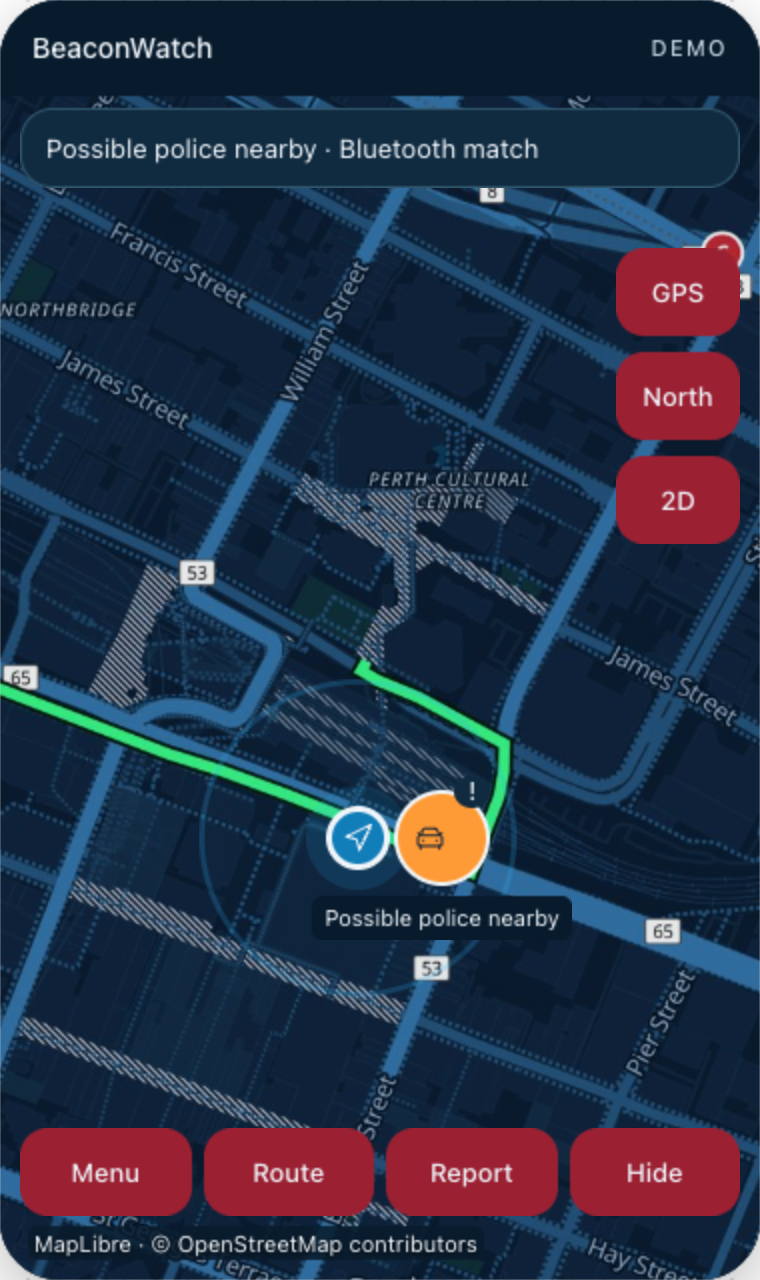
Plan a trip, check a signal, or share a report. The essentials stay close, and the controls get out of your way when you need a clear view.
Search for a destination without changing pages. Compare available routes, follow a bright green line, and use spoken directions.
Scan for supported Bluetooth patterns using your phone, or connect a compatible T-Dongle for an external receiver.
A Bluetooth match is an indication, not confirmation of police or device identity.Submit a police/camera sighting from the Report button. With Community enabled, new supported detections and reports can reach nearby users.
Hide nonessential controls in one tap. Important safety alerts remain visible, with map controls within reach when you need them.
Try the interactive demoREADY FOR YOUR NEXT TRIP
Start with your Android phone. Add an external receiver when it suits your setup.
Enable Bluetooth, precise location and notifications for the features you want to use.
Use your phone’s Bluetooth scanning, or connect a compatible T-Dongle through USB.
Plan your route while parked. Enable Community if you want to share reports and receive nearby alerts.
BEACONWATCH FOR ANDROID
Bluetooth awareness and nearby reporting, with navigation at the centre.
The Android app is in release preparation. The current test build is not sold through this site.
Secure checkout and automatic download are being prepared.
View purchase pageAsk about purchasingAndroid 9 or newer. Bluetooth and location permissions required for scanning. Internet and precise GPS required for online routes and nearby reports. Optional T-Dongle hardware is not included with the app.
GOOD TO KNOW
Yes. BeaconWatch can alert you to supported Bluetooth patterns associated with equipment that police may use, helping you spot possible police activity nearby. It cannot confirm with 100% certainty that police are present or identify who owns a device. A signal marker shows the scanning phone or receiver’s location, not the device’s exact position. Community reports are user observations and are not independently verified.
No. You can use phone scanning. A compatible T-Dongle is an optional external receiver; USB compatibility and permission are required. Scanning behaviour depends on your phone and receiver.
Enable Community to share new supported signal detections and manual reports. Nearby alerts require other users to share reports, an internet connection, fresh precise location and notification permission. Delivery may be delayed by phone power settings or connectivity, and stops if sharing is disabled or the app is force-stopped.
This website is for the Android app. An iPhone download is not available here.
When Community is enabled, supported detections and new reports include a reporting location and timing information. Online place search and routing send the query and relevant trip/location details to their providers. The website demo uses sample data and does not scan Bluetooth or submit reports.
When checkout opens, Payhip will take payment through Stripe and provide a private Android download link and receipt after purchase. The app file will not be posted on this public page.
Visit the purchase page for the A$29.99 offer and current availability. You can enquire now; Payhip checkout with Stripe payment and protected download delivery is being set up.
A clearer view of your surroundings.
Get ready for BeaconWatch